DECODER / AUDIO

Audio Morse Decoder

Upload MP3 or WAV or request microphone access. Automatic decoding of arbitrary recordings is beta and may not return a result.
One Morse decoder system, optimized for the source you already have.
AudioReady
or
Try sample audio
Audio → signal detection → Morse → text

Ready

TextMorse
TextWaiting for input
Decoded text will appear here
Signal output
AdvancedReference, analysis, save and download
Signal detailsWaiting for input
Source
Audio
Decoded text
Detected Morse
Speed
10 WPM
Confidence
Signal timelineDots, dashes and pauses
Enter or decode a signal to build its timeline.
Morse reference
Saved signalsYour private Signal Library

Save a result from Advanced to keep it here.

HOW TO USE THIS DECODER
How to use the Audio Morse Decoder

Four practical steps illustrated with the same controls and results you see in the decoder above.
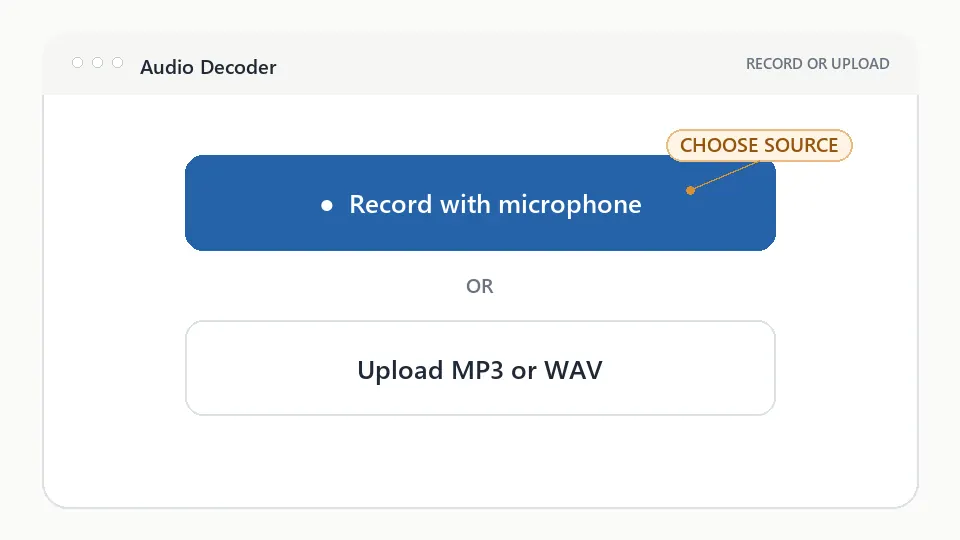
Uploading audio into the Audio Morse Decoder interface
Figure 1. Upload or recordListen through your microphone, or choose an MP3 or WAV recording from your device.
Step 1

Upload or record

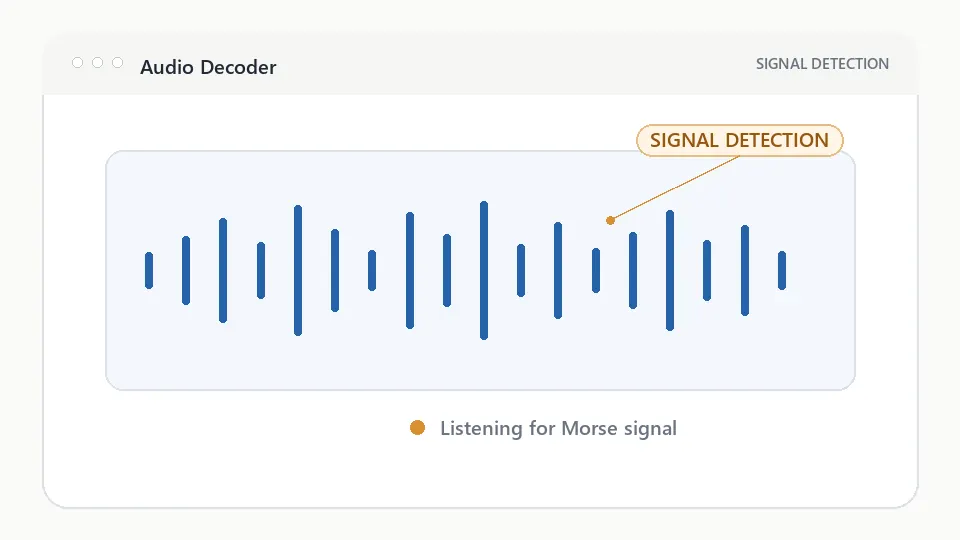
Audio Morse Decoder waveform showing Morse signal detection
Figure 2. Detect signalThe waveform shows the listening state. Verified samples demonstrate tone-and-pause analysis; arbitrary recordings are not yet decoded reliably.
Step 2

Detect signal

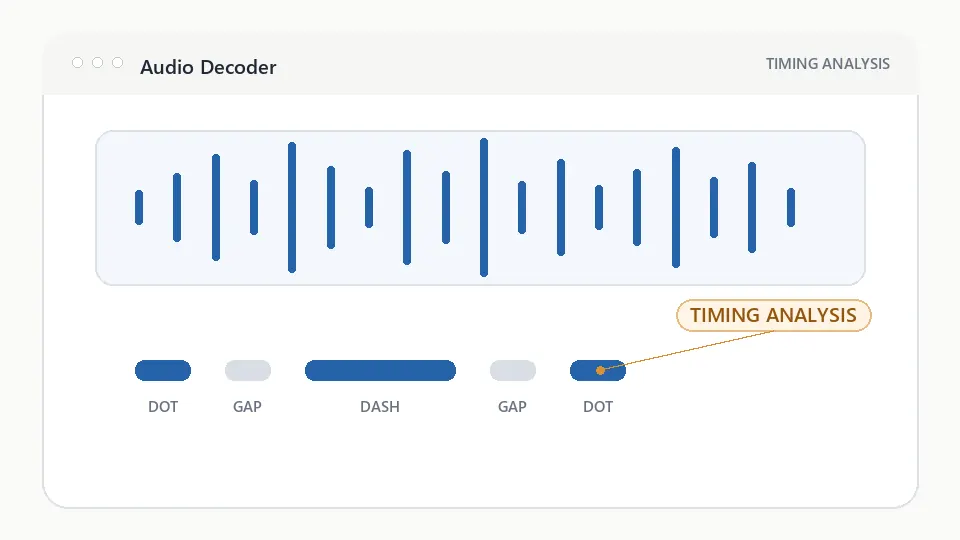
Morse audio timing analysis showing dots, dashes, and pauses in a CW signal
Figure 3. Analyze timingCheck how short tones, long tones, and pauses become dots, dashes, characters, and words.
Step 3

Analyze timing

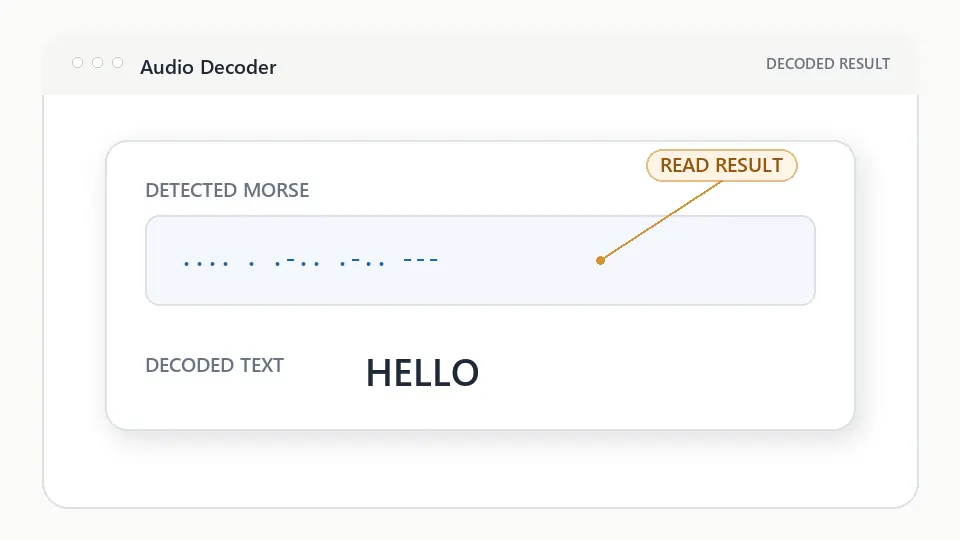
Process of converting Morse audio signals into readable text
Figure 4. Decode textWhen a result is present, review the Morse and text together. If no result appears, the file was received but not decoded.
Step 4

Decode text

Visual explanation

How audio becomes readable Morse

The workspace keeps each transformation understandable while advanced controls remain optional.

  1. Audio Waveform

    Upload MP3 or WAV, or record with your microphone.

  2. Signal Detection

    The waveform separates tones from pauses and steady noise.

  3. Timing Analysis

    Short and long tones become dots, dashes, letters, and words.

  4. Text

    Review the Morse pattern and readable message together.

DECODER REFERENCE

Understand the result, not only the output

Why use the Audio Morse Decoder?

Use the audio workspace to upload MP3 or WAV recordings, request microphone access, and inspect the intended signal-analysis flow. Automatic interpretation of arbitrary recordings is still beta.

Supported formats

Supported audio:

  • MP3
  • WAV
  • Recordings
  • Radio audio

Best results

  1. Clear signal — use distinct tones and pauses.
  2. Low background noise — reduce voices, music, and static.
  3. Stable volume — avoid clipping and distortion.
  4. Compare waveform timing before accepting the decoded text.
Which Morse decoder should I use?

Choose the page that matches the Morse source you already have.

I have textText Morse Translator
I have an imageImage Morse Decoder
I have audioAudio Morse Decoder

AUDIO DECODER QUESTIONS

Audio Morse Decoder, explained

Can I decode Morse from audio?

You can upload a Morse recording or request microphone access. Verified samples demonstrate decoding, but arbitrary uploads and live recordings are not yet interpreted reliably.

What audio formats work?

The audio decoder supports MP3 and WAV uploads, plus live microphone recording on compatible browsers.

How can I improve an audio result?

Use a clear, steady tone with limited background noise and consistent spacing. These conditions help analysis but do not guarantee a decoded result in the current beta.